
Shop Tools
Core Summary: Addon-Market is an enhancement plugin for QuickShop-Hikari, featuring expression pricing (dynamic price formulas), restock notifications (auto-alert shop owners), item search (supports English/Chinese/pinyin), and waypoint beams (click coordinates to create guiding pillars).
Basic Commands
| Command | Description |
|---|---|
/qs price <formula> | Bind a dynamic pricing formula |
/qs marketinfo | View shop pricing details |
/qs manage | Open the shop management GUI |
/qs search <item> | Search for shops selling an item in this world |
/qs restock on / off | Enable/disable restock notifications |
/qs restock status | View notification status |
/qs playerreset on / off | Enable/disable player counter reset |
/qs playerreset status | View reset status |
/qs playerreset interval <duration> | Set reset interval (e.g. 1w / 5h / 50m) |
Expression Pricing
Use math formulas to dynamically adjust prices based on trade volume. Look at a shop and type your formula:
/qs price basePrice * 1.05 ^ min(playerAmount, 100)Each purchase increases price by 5%, capped at 100 iterations.
Variables: playerAmount / globalAmount / shopStock / shopMaxStock / basePrice / currentPrice
Functions: exp(x) / pow(a,b) / log(x) / min(a,b) / max(a,b)
Example formulas:
- Price increase:
basePrice * 1.05 ^ min(playerAmount, 100) - Volume discount:
basePrice * 0.95 ^ min(playerAmount, 50) - Tiered pricing:
basePrice + floor(playerAmount / 10) * 5
On shop creation, type the formula directly in chat instead of a number.
Item Search
Search for shops trading a specific item in your current world.
/qs search diamond     /qs search 钻石     /qs search zuanshi
/qs search 土豆     /qs search 马铃薯      /qs search tudou
Supports English IDs, Chinese names, pinyin, and aliases. Partial matches work too. Coordinates in results are clickable — clicking creates a guiding beam to lead you there.
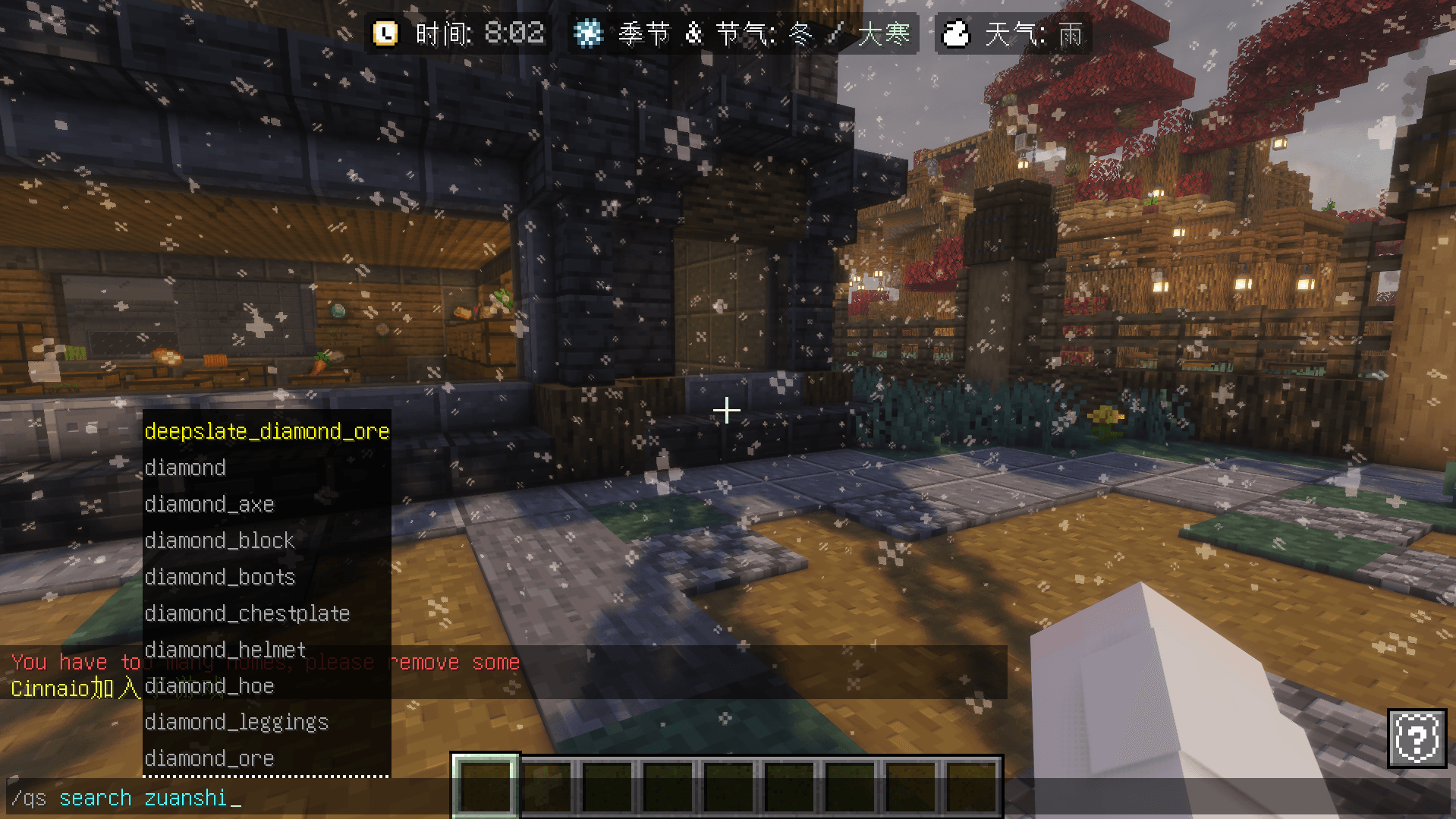
Example: Searching for diamond sword shops — type
/qs search diamond_swordor/qs search zuanshijian(pinyin).
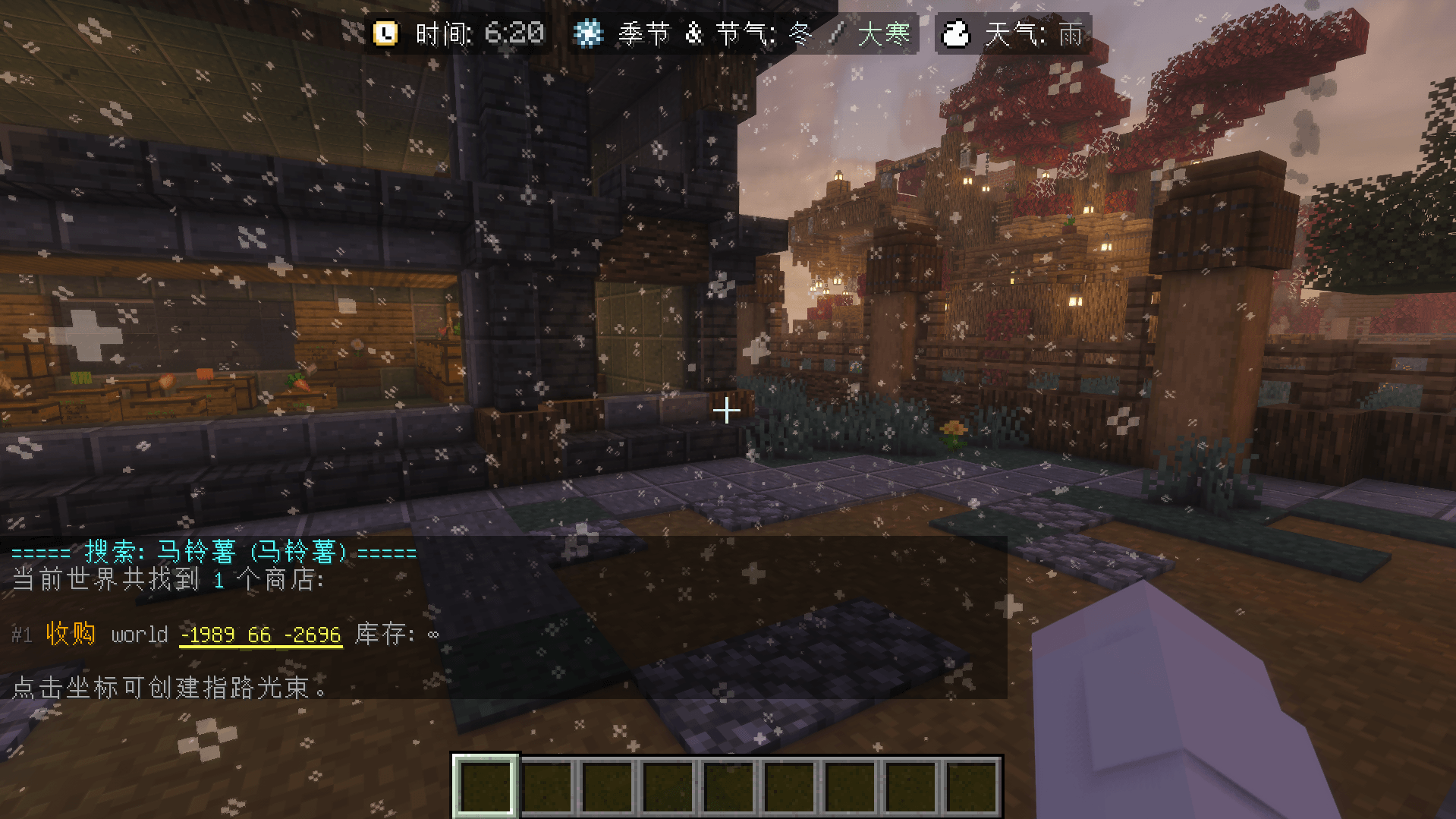
Restock Notification
Automatically notifies the owner when a sell shop runs out of stock. Coordinates in the message are clickable to create a waypoint beam.
| Command | Description |
|---|---|
/qs restock on | Enable notifications for current shop |
/qs restock off | Disable |
/qs restock status | Check status |
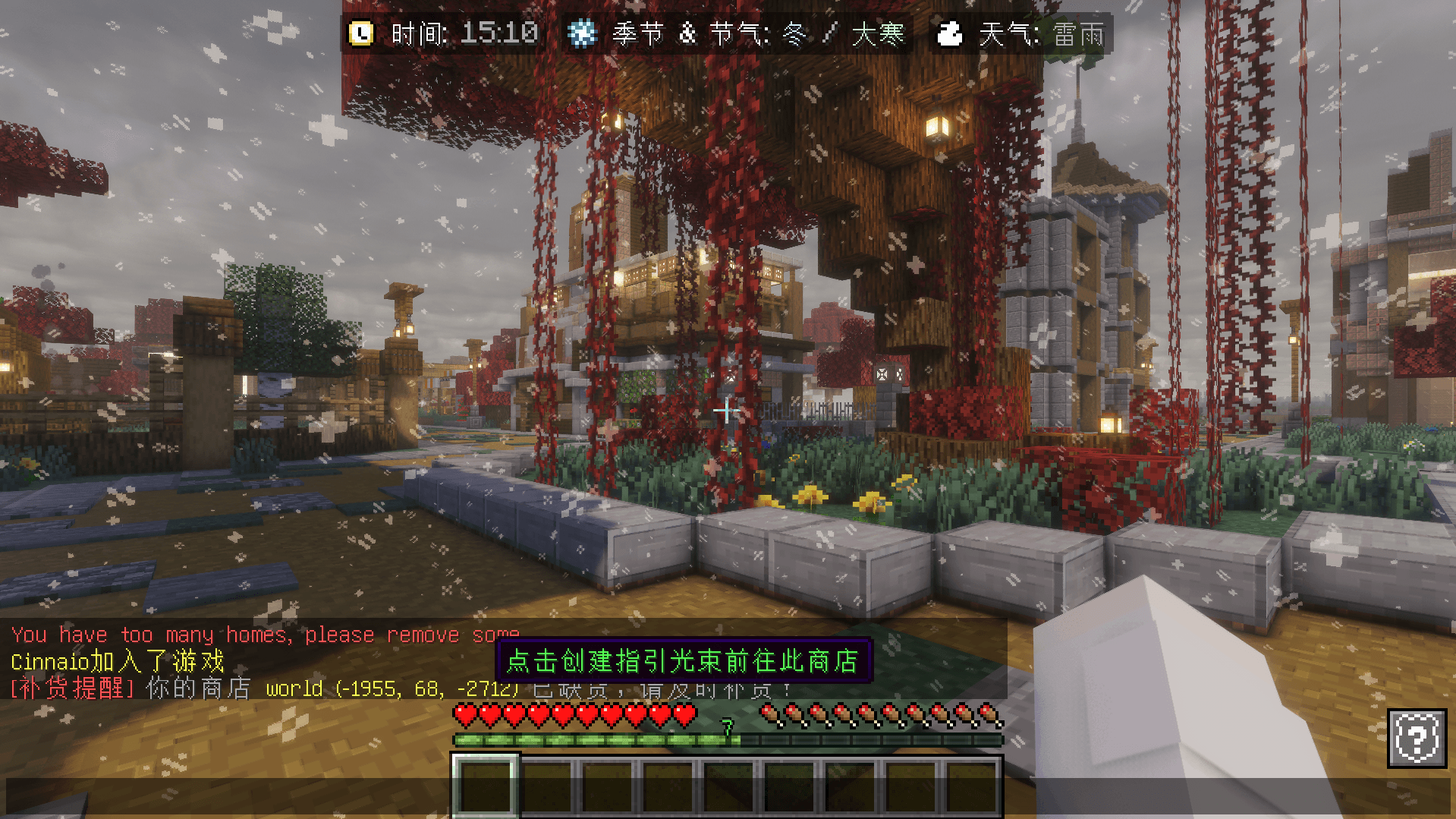
Every time a player logs in, the server automatically checks their shops for restocking needs. If any shop needs restocking, a notification message is sent.
You can click the coordinates in the message to create a highlighting beam that guides you to the shop.
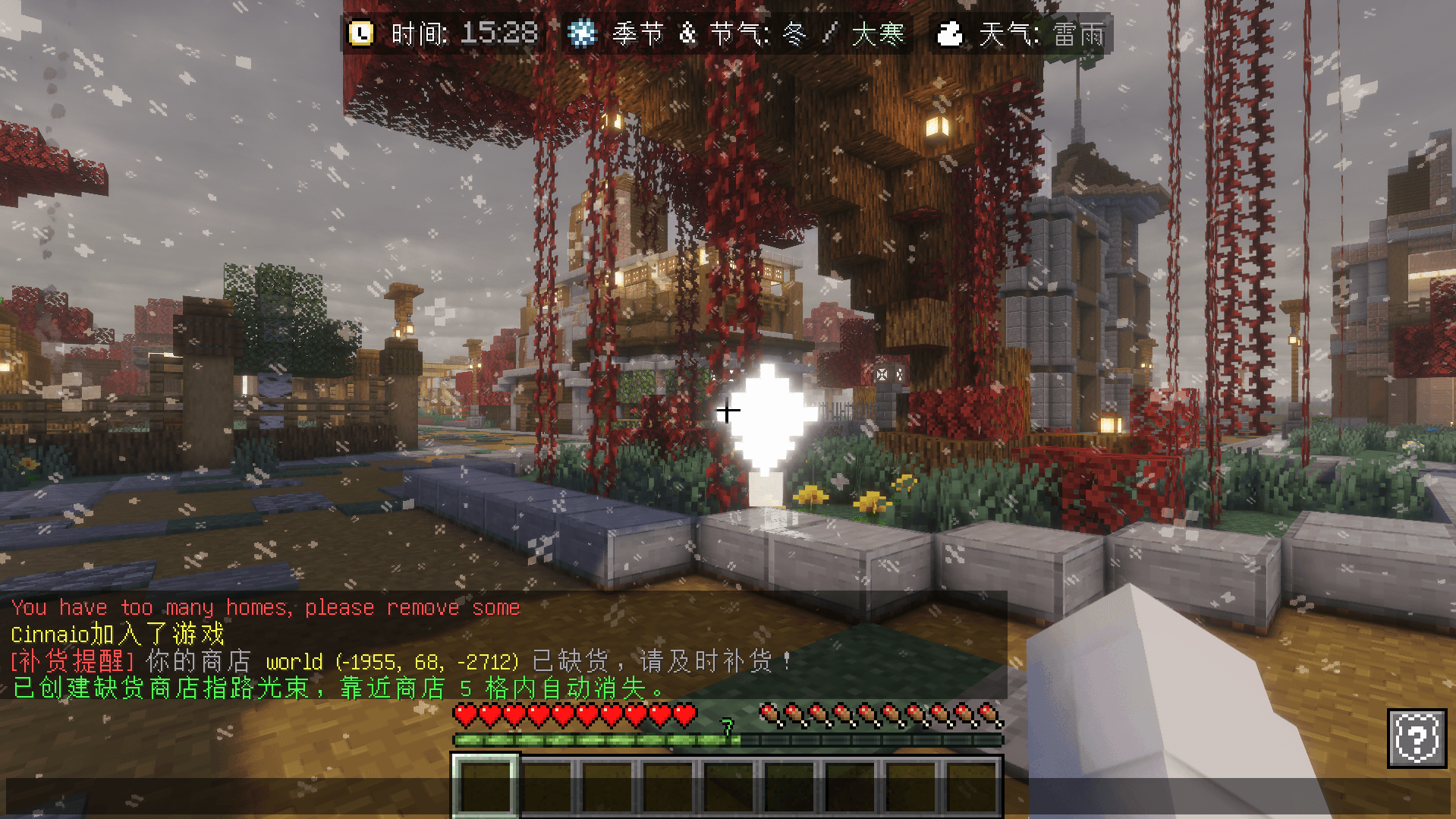
Out-of-stock shops show a white particle ring effect (visible within 10 blocks of the owner), and the guide auto-removes when you're within 5 blocks.
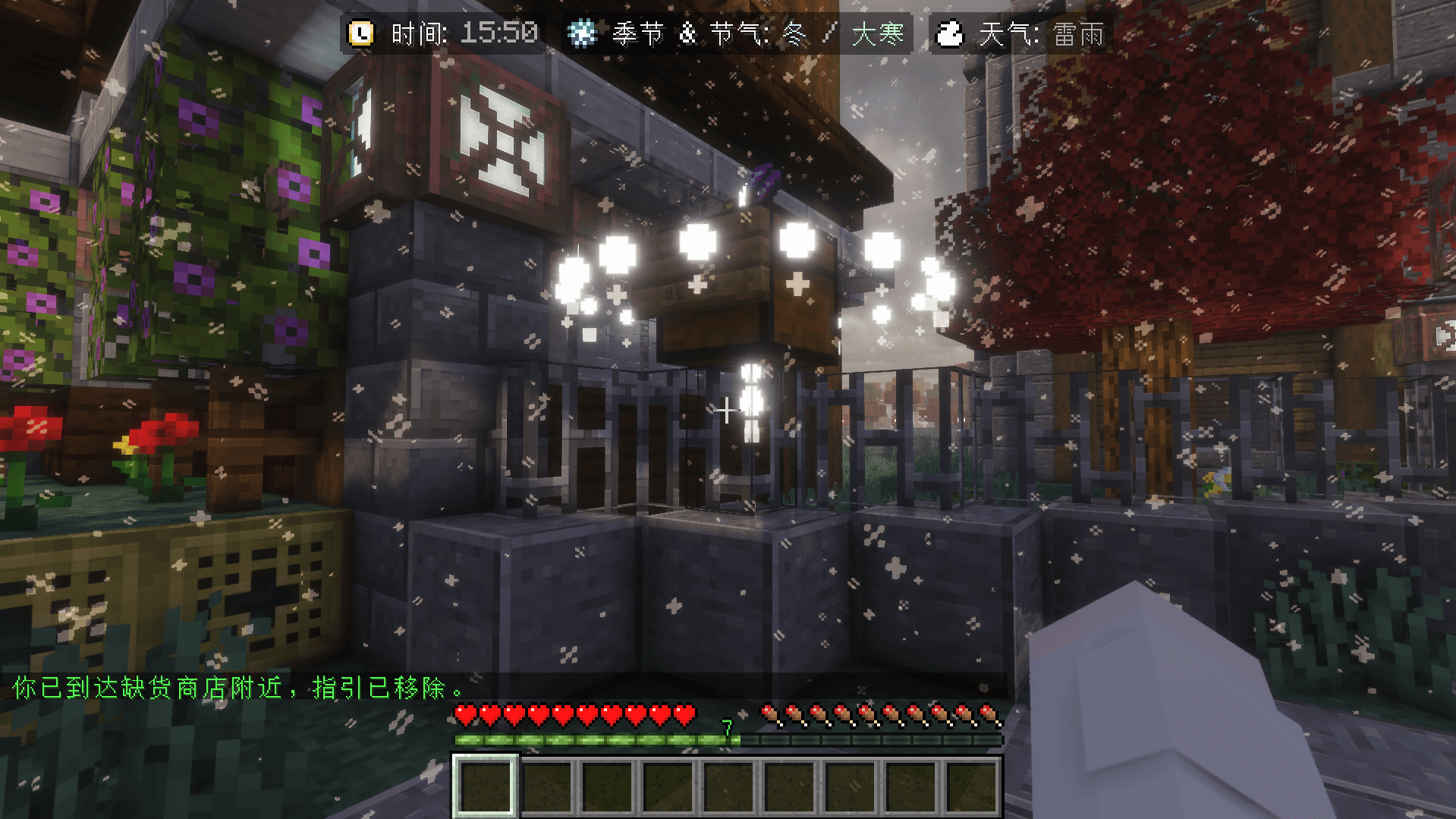
You can also use /qs manage to manage restock notifications for all your shops at once.
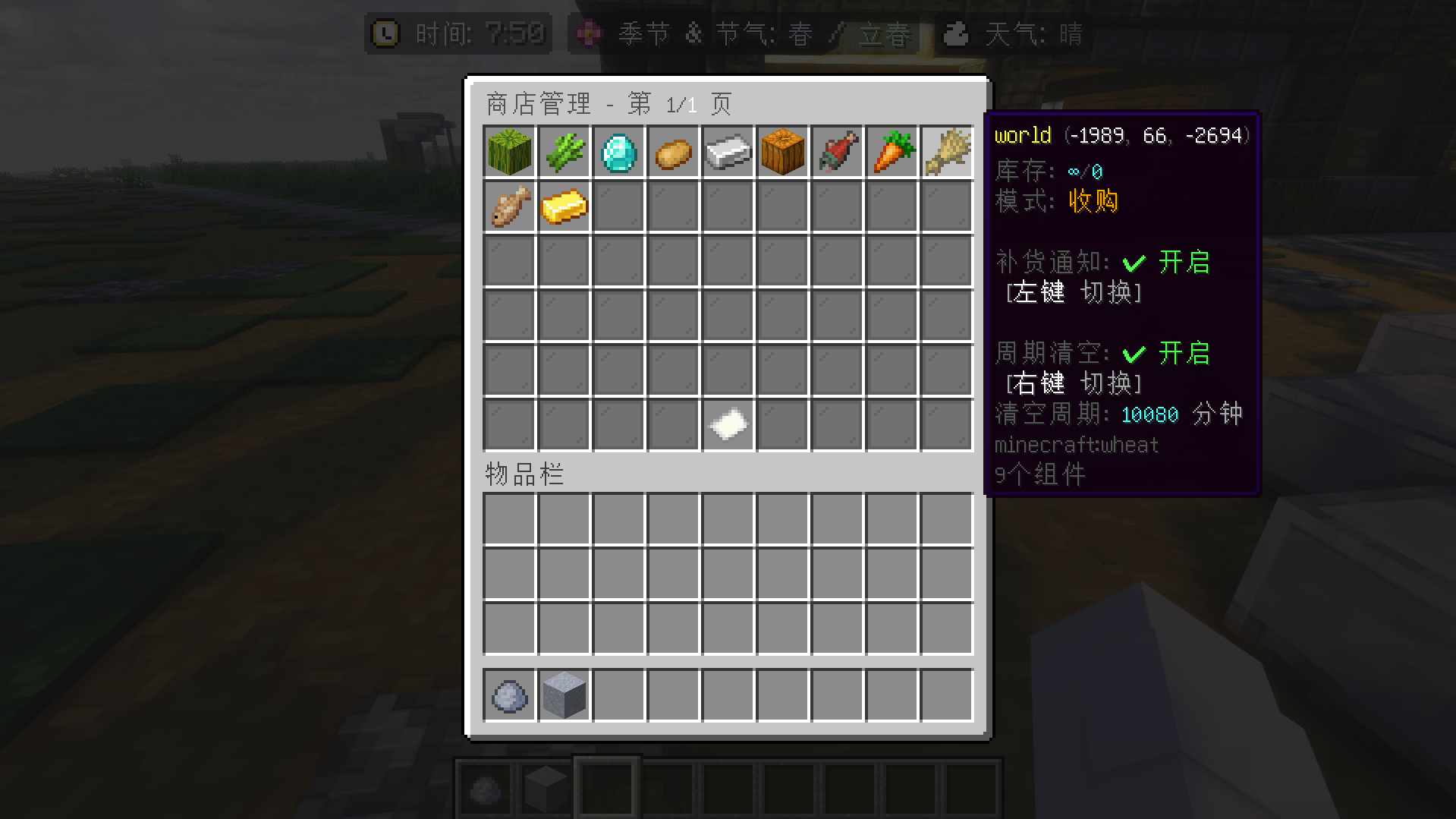
Player Counter Reset
Periodically resets player trade counters to prevent a single player from dominating prices.
| Command | Description |
|---|---|
/qs playerreset on / off | Enable/disable |
/qs playerreset status | Check status |
/qs playerreset interval 1w -start:1 -time:00:00 | Reset every Monday 00:00 |
/qs playerreset interval 5h | Reset every 5 hours |
Duration format: 50m (minutes), 5h (hours), 1w (weeks)
FAQ
Q: "Invalid expression"?
A: Check your variable names and functions. Example: basePrice + playerAmount.
Q: Too many restock notifications?
A: Default cooldown is 24 hours. Adjust in config.yml.
Q: Can't find my shop?
A: Search is scoped to your current world only.
Q: Too many particles?
A: Set particle-effect: false in config.yml.